
The 3-step QA that
makes a CAD file actually usable.
Most of what separates a good CAD conversion from a bad one happens after drafting. The drawing looks correct until a facility manager tries to renovate from it, or a drafter tries to extend it, or a consultant tries to coordinate against it. We catch the errors that surface downstream by putting every drawing through a documented, repeatable QA process — scan inspection, overlay comparison, CAD corrections — before it leaves our studio.
Scan Inspection
A second set of eyes reviews every source drawing before CAD work begins.
Before any CAD line is drawn, a senior reviewer inspects the source — paper scan, raster image, or PDF — to understand what the drawing actually contains. This is a step most CAD shops skip. They hand the source straight to a drafter. We do not.
The inspection surfaces the things that will otherwise become errors later: illegible dimensions, torn corners, conflicting annotations, missing sheets, and marginal text. Each item gets tagged in a marginal-data log that travels with the project. If something cannot be safely converted, it is flagged as 'illegible' in the CAD deliverable — we never silently guess.
The outcome of this step is an annotated source drawing and a shared understanding of what we are converting, what is ambiguous, and what might need client input before we finalise.
- ·Annotated source scan with marginal-data tags
- ·Initial layer plan per client CAD standard
- ·List of open questions for client confirmation
- ·Estimated sheet count and hour budget
Overlay Comparison
Every CAD object is checked against the scan by toggling the overlay on and off.
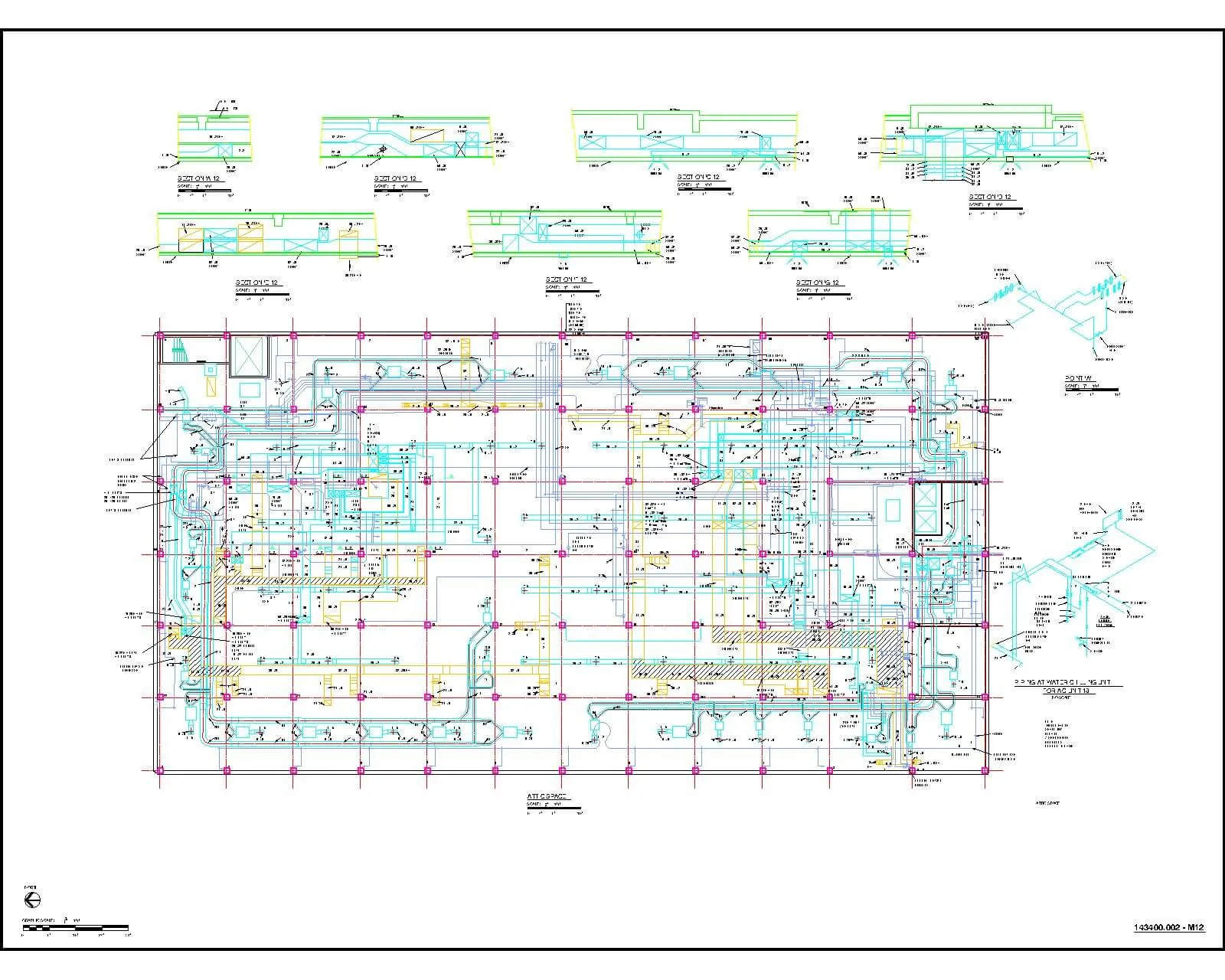
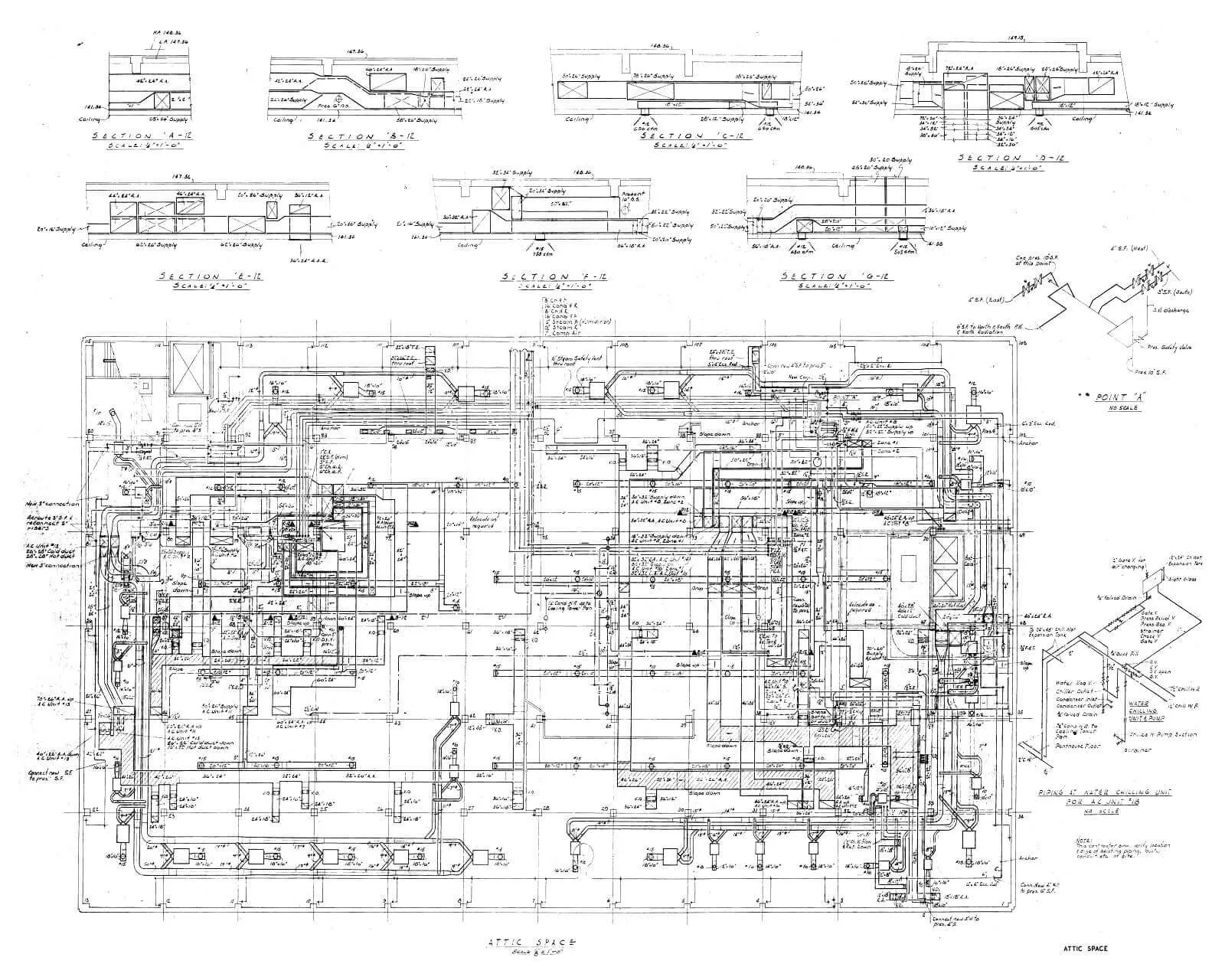
Once initial drafting is complete, the converted CAD is overlaid on the source scan in our QA software. A reviewer runs through the drawing one CAD object at a time, toggling the overlay to compare geometry against what's actually on the paper.
This is a human check, not a software check. The reviewer's eye catches missed linework, incorrect layer assignments, misplaced text, or dimensions that don't match the source. Each item that passes inspection gets a small rectangular 'checked' tag, so nothing is re-inspected and nothing is missed.
This is the single most effective QA step in the entire process. It is also the most labour-intensive. It is why our CAD files tend to drop into client workflows without rework.
- ·Every object overlay-checked, one at a time
- ·Layer and line-type compliance verified
- ·Text and dimension correctness verified
- ·Tag log of items queued for correction in step 3
CAD Corrections
Tagged items are corrected by an experienced drafter — then a final pass verifies them.
The third step executes every correction flagged in the overlay review. A senior CAD technician moves through the tagged items — simple layer changes, text corrections, geometry redraft, dimension fixes — and resolves each one.
Some corrections cascade. An incorrect dimension discovered on one floor may propagate through the stacking of upper floors; a mis-identified column grid ripples through every floor plan. When a correction has downstream effects, we propagate it across the set and re-run the overlay check on affected sheets.
Once every tag is cleared, the drawing is finalised, the assumptions log is attached, and the deliverable package is assembled. Source scans, CAD files, PDF plots, and the assumptions log all ship together.
- ·Every flagged item corrected by a senior drafter
- ·Cascading corrections propagated across the set
- ·Final overlay re-check on affected sheets
- ·Deliverable package: DWG + plotted PDF + assumptions log
The cheapest CAD conversion is the one you only pay for once.
In CAD outsourcing, the failure mode most clients don't expect is a file that passes a casual visual review and then breaks in production — layers wrong, dimensions drifting, line types mismatched, text on the wrong plane. The drawing looks fine on screen. It fails when someone tries to edit it.
This three-step QA process exists because we have seen that failure often enough to build systems against it. We developed the software that does overlay comparison in-house. We treat marginal data as a first-class artefact rather than a nuisance. We propagate corrections across dependent sheets rather than patching one drawing at a time.
The outcome is CAD that drops into your environment and behaves like native output — because at every step, a human operator verified it would.
See the 3-step QA on one of your drawings. Free sample in 48 hours.
No account managers, no call centre. Every inquiry reaches Surpreet, the Director, directly.